



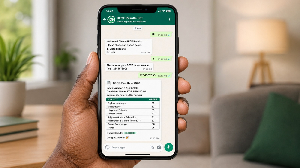
If you use WhatsApp daily, you’ll be glad to know you can buy your BECE results checker and potentially check your grades without ever leaving the app. Here is how the entire process works, from buying your checker to viewing your scores.
Step 1: Start a Chat to Get Your Results Checker
The first thing you need is a results checker: a PIN and Serial Number that gives you access to the WAEC results portal. You can buy one directly via WhatsApp by reaching out to the dedicated sales line.
Save the number 0257779320 in your contacts, then open WhatsApp and send a message saying “Hi” to begin.
Step 2: Place Your Order
Once you send your opening message, an automated menu will guide you through the purchasing process. You will be asked to:
Select BECE as the examination type you are buying a checker for
Specify the number of checkers you need (one per candidate)
Review your order details and confirm by tapping “Yes, Purchase”
Step 3: Complete Your Payment
Payment is handled through Mobile Money. The chat will walk you through the payment steps, and you can complete the transaction using any of the supported networks: MTN, Vodafone (Telecel), or AirtelTigo.
Step 4: Receive Your PIN and Serial Number
As soon as your payment is confirmed, your BECE results checker PIN and Serial Number will be sent to you within the WhatsApp conversation. A copy will also be delivered to you by SMS as a backup. Keep both safe.
Step 5: Access Your Results
With your checker ready, you have two options for viewing your grades:
Option 1:
Through the WAEC Results Portal
Open your phone’s browser and visit eresults.waecgh.org
Fill in your Index Number, exam type (BECE), year (2026), and date of birth.
Enter the PIN and Serial Number from your checker
Hit “Submit” and your results will display on screen
Option 2: Directly Within WhatsApp
Depending on the service provider, you may also be able to retrieve your results without leaving WhatsApp. Where this feature is available:
(A). Send your 10-digit Index Number to the same WhatsApp contact
(B). Follow the prompts and enter your PIN and Serial Number when requested.
Your results will be sent back to you directly in the chat
Whether you use the portal or WhatsApp, you can screenshot your results for safekeeping or request them to be resent using the same credentials.
All the best to every 2026 BECE candidate!

Copyright © 1994 - 2026 GhanaWeb. All rights reserved.