



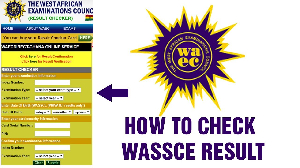
This article offers a simple, step-by-step guide for anyone looking to purchase a WAEC results checkerwhether for WASSCE School, WASSCE Private (NOV/DEC), or the yet to be release 2025 results.
The results are hosted and secured online, and candidates who so desire may access their results at the official WAEC portal: https://ghana.waecdirect.org/. Candidates will need to purchase a PIN to access their results online.
How to buy a WASSCE result checker via WhatsApp
Candidates will need to purchase a PIN to access their results online.
By calling 0555552170, candidates are guided through a simple menu where they can choose the WASSCE Results Checker option, pay using mobile money and receive their Serial Number and PIN by WhatsApp or SMS shortly after payment is confirmed. This approach is particularly useful on the day results are released, since it does not depend on a browser or data connection and works on basic phones.
Call, text or WhatsApp 0555552170 should you encounter any challenge for assistance!
How to buy a WASSCE result checker via shortcode
1. Dial the short code *713*3998# on your mobile phone
2. Select option 2 -for WASSCE Results Checker
3. Choose option 1
4. Authorise payment, and after that
5. Receive the result checker details via SMS after successful payment
With the purchased result checker card (serial and PIN) using *713*3998#, follow the guide below to see your grades.
Visit https://ghana.waecdirect.org to
Enter your Index Number.
Select the Type of Examination (e.g, WASSCE/NOVDEC).
Select your Examination Year
Enter the Serial Number found on the Result Voucher
Enter the 12-digit Personal Identification Number (PIN) on your Result Voucher (eg, 012345678912).
Confirm your Index Number and Examination Year. (This is to ensure that your examination information is correct.)
Click on the Submit button and wait for the display in the pop-up window. This may take several minutes, but it’s worth the wait, as the pop-up wind

Copyright © 1994 - 2026 GhanaWeb. All rights reserved.